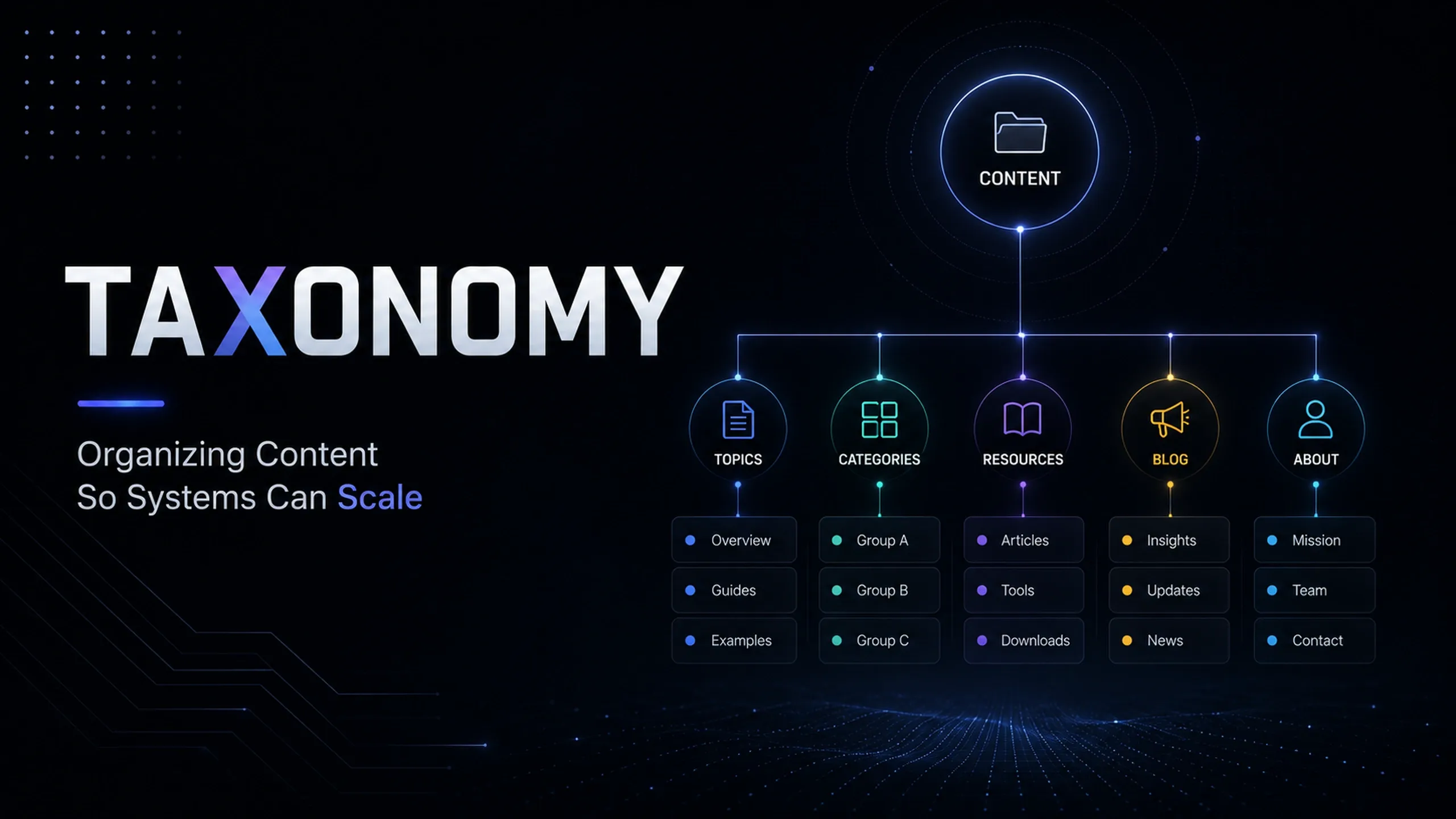
Taxonomy
Organizing Content So Systems Can Scale
Taxonomy is the structured system used to classify, group, label, and relate content, products, services, pages, records, or data objects.
In digital systems, taxonomy helps users, editors, search engines, CMS platforms, filters, navigation, internal links, analytics, and automation understand how information is organized. A strong taxonomy makes content easier to find, manage, reuse, report on, and scale.
Taxonomy is not just a list of categories. It is the organizing logic behind how information becomes usable.
Without taxonomy, websites and platforms become messy. Editors create duplicate labels, filters become inconsistent, archive pages become thin, internal linking becomes random, and reporting becomes harder to interpret. With taxonomy, information has a clear structure that supports both users and systems.
What Is Taxonomy?
Taxonomy is a classification system that organizes information into meaningful groups.
On a website, taxonomy may include categories, tags, topics, content types, product groups, service areas, industries, locations, audiences, use cases, or internal classifications. In a CMS, taxonomy helps define how content is grouped, displayed, filtered, connected, and managed.
For example, a website about digital strategy may organize posts by areas such as SEO, analytics, web development, advertising, data, operations, and AI. A product catalog may organize products by category, material, size, compatibility, use case, supplier, or availability. A support platform may organize tickets by issue type, priority, product, region, and status.
Taxonomy helps answer basic but important questions:
Question | Why It Matters |
|---|---|
What is this item about? | Helps users and systems understand the topic. |
Where does it belong? | Supports navigation, archives, filters, and hierarchy. |
What is it related to? | Supports internal linking and recommendations. |
How should it be found? | Supports search, filtering, and discovery. |
How should it be reported? | Supports analytics, dashboards, and content audits. |
A taxonomy should make information easier to use, not just easier to label.
Why Taxonomy Matters
Taxonomy matters because digital systems become harder to manage as they grow.
A small website can survive with a few manually chosen categories. A larger content platform, ecommerce site, knowledge base, resource library, product catalog, or operational system cannot rely on ad hoc labels forever.
Weak taxonomy creates predictable problems:
Problem | What Happens |
|---|---|
Duplicate labels | Editors create similar terms such as SEO, Search Engine Optimization, and Organic Search. |
Thin archives | Category pages exist but do not contain enough useful content. |
Poor filtering | Users cannot narrow content or products in a meaningful way. |
Weak internal linking | Related content is not connected consistently. |
Messy reporting | Content performance cannot be analyzed cleanly by topic, type, or purpose. |
CMS clutter | Editors struggle to choose the right category, tag, or classification. |
SEO confusion | Search engines receive unclear topical and structural signals. |
Taxonomy protects the structure of a website or system. It helps teams avoid turning every new page, post, product, or resource into a one-off item.
Taxonomy, Categories, and Tags
Taxonomy is often confused with categories and tags. Categories and tags are taxonomy tools, but they are not the whole taxonomy.
This distinction keeps taxonomy practical. Categories provide stronger structure. Tags provide flexible relationships. Taxonomy is the system that controls how both should work.
Taxonomy and Information Architecture
Taxonomy and information architecture are closely related, but they are not identical.
Information architecture defines how information is arranged, navigated, and discovered across a website or platform. Taxonomy defines the classification logic that supports that structure.
For example, a website may have a navigation item called “Resources.” That is part of the information architecture. Inside Resources, content may be classified by topics such as SEO, Analytics, Advertising, Web Development, Data, Operations, and AI. That classification system is taxonomy.
Area | Main Focus |
|---|---|
Information Architecture | Site hierarchy, navigation, user paths, page relationships, and findability. |
Taxonomy | Labels, categories, tags, topics, attributes, and classification rules. |
Content Modeling | Fields, content types, relationships, validation, and CMS structure. |
Content Architecture | How content types, topics, templates, and publishing patterns scale together. |
A strong website needs all of these layers to work together.
Taxonomy should not be designed in isolation. It should reflect how users search, how editors publish, how content is grouped, how pages link together, and how the business wants to report on performance.
The right taxonomy depends on the system. A content site, ecommerce platform, CRM, inventory system, and support desk should not use the same taxonomy logic.
Taxonomy and SEO
Taxonomy affects SEO because it shapes how content is grouped, linked, indexed, and understood.
A well-planned taxonomy can support topic clusters, content hubs, internal linking, breadcrumbs, archive pages, product categories, related content modules, and structured navigation. A weak taxonomy can create thin pages, duplicate archives, confusing tags, crawl waste, and poor topical clarity.
SEO taxonomy should help search engines understand:
SEO Signal | Taxonomy Role |
|---|---|
Topic relevance | Groups related content under clear topical labels. |
Site hierarchy | Shows which topics, categories, and sections are important. |
Internal linking | Connects related pages through categories, tags, hubs, and modules. |
Archive value | Creates category or topic pages that can serve users. |
Breadcrumbs | Shows the page’s position within the site structure. |
Structured data | Supports clearer page relationships where relevant. |
Taxonomy pages should not exist just because the CMS can generate them. A category page, tag page, topic page, or archive page should have a purpose.
If a taxonomy page has no useful content, no search intent, no internal linking value, and only one or two items, it may not deserve indexation. If it supports a meaningful topic, contains useful content, and connects related resources, it may become a strong SEO asset.
Good CMS taxonomy reduces editorial guesswork. It makes the correct classification easier than the messy one.
Taxonomy and Internal Linking
Taxonomy supports internal linking by creating meaningful relationships between content.
A category can link related posts together. A tag can surface related resources across different categories. A product type can connect products to buying guides, specifications, support content, and comparison pages. An industry taxonomy can connect services, case studies, FAQs, and articles for the same audience.
Taxonomy-driven internal linking can support:
Linking Pattern | Example |
|---|---|
Category archives | All posts under Technical SEO. |
Topic hubs | A main SEO page linking to keyword research, site migration, metadata, and image SEO. |
Related content | Posts sharing the same tag or topic. |
Product relationships | Products linked by category, compatibility, or use case. |
Service relationships | Services linked to relevant articles, FAQs, and case studies. |
Breadcrumbs | Showing the hierarchy from parent section to current page. |
Internal linking should not rely only on automation. Taxonomy can suggest relationships, but editorial judgment still matters.
If taxonomy is too broad, related content modules become vague. If taxonomy is too narrow, content becomes fragmented. The goal is to connect items that genuinely help users move through the site.
Taxonomy and Filtering
Filtering depends on clean taxonomy.
When users filter products, resources, articles, locations, jobs, suppliers, or support content, they are relying on taxonomy values behind the interface. If those values are inconsistent, filtering becomes unreliable.
For example, a product catalog may allow users to filter by:
Filter Group | Example Values |
|---|---|
Product type | Scanner, label printer, tablet mount, replacement part. |
Compatibility | Android, iOS, Windows, specific device models. |
Use case | Warehouse, retail, field service, manufacturing. |
Availability | In stock, backorder, discontinued. |
Region | North America, Europe, Asia-Pacific. |
Filtering is not only a frontend feature. It requires structured fields, controlled values, consistent product data, and governance.
SEO also matters. Public filter pages can create many URL combinations. Some may be useful and indexable. Others may be thin, duplicative, or crawl-heavy. Faceted taxonomy should be planned with crawl and indexation controls.
Taxonomy and Reporting
Taxonomy makes reporting more useful because it gives data structure.
If content is classified consistently, performance can be reviewed by category, topic, content type, audience, funnel stage, product group, region, or use case. Without taxonomy, reports often become page-by-page exports that are difficult to interpret.
Taxonomy can support reporting across:
Reporting Area | Taxonomy Use |
|---|---|
Content performance | Compare posts by topic, category, format, or intent. |
SEO reporting | Review organic traffic by content cluster or page type. |
Product reporting | Analyze sales by product category, family, or attribute. |
Support reporting | Identify issue patterns by product, region, or ticket type. |
CRM reporting | Compare leads by source, industry, lifecycle stage, or segment. |
Operations reporting | Track inventory, procurement, or workflow status by structured classification. |
Reporting taxonomy should match business questions.
If leadership wants to understand which topic areas drive qualified leads, the CMS taxonomy must classify content in a way that supports that question. If ecommerce teams want to understand category profitability, product taxonomy must be structured consistently enough to support analysis.
Taxonomy Governance
Taxonomy needs governance because labels multiply quickly.
Every new category, tag, filter value, or classification term creates maintenance responsibility. If terms are created casually, the taxonomy becomes harder to trust.
Governance does not need to be heavy. It needs to be clear enough that taxonomy does not decay silently.
This process keeps taxonomy practical. It connects structure to real publishing, search, filtering, and reporting needs.
Most taxonomy problems happen slowly. The structure does not break all at once. It decays term by term until no one trusts it.
Best Practices for Taxonomy
Taxonomy works best when it is simple enough to use and structured enough to scale.
The goal is not to create the most detailed classification system possible. The goal is to create the right level of structure for users, editors, search engines, and reporting.
Start With Use Cases
Taxonomy should support a purpose.
Before adding a taxonomy, define what it will help with. It may support navigation, filtering, SEO, internal linking, personalization, reporting, content planning, product discovery, or workflow routing.
If a taxonomy does not support a real use case, it may create clutter.
Keep Categories Limited
Categories should be limited and meaningful.
A category should usually represent a strong topic area, product group, content section, or structural grouping. Too many categories weaken hierarchy and make editorial decisions harder.
Tags and facets can provide flexibility where categories need to stay clean.
Control Tag Creation
Tags need governance.
Uncontrolled tags quickly become messy because editors create near-duplicates, abbreviations, spelling variations, and one-off labels. Use approved tags, review new tag requests, and merge duplicates regularly.
Write Term Descriptions
Taxonomy terms should include descriptions when confusion is possible.
A description should explain what the term means, when to use it, what it includes, and what it excludes. This helps editors classify content consistently.
Separate Different Taxonomy Types
Do not mix unrelated classification logic in one taxonomy.
Topics, audiences, industries, content formats, product attributes, locations, and workflow stages should usually be separate fields. Mixing them creates confusing filters, weak archives, and poor reporting.
Review SEO Impact
Taxonomy can create public URLs.
Before allowing category, tag, or filter pages to be indexed, review whether those pages have search value, useful content, enough related items, and a clear purpose. Thin taxonomy pages may need improvement, noindex rules, consolidation, or redirects.
Connect Taxonomy to Reporting
Taxonomy should help answer business questions.
If performance needs to be reviewed by topic, page type, product group, audience, industry, or funnel stage, the taxonomy should support those reporting dimensions. Otherwise, reports become manual and inconsistent.
Maintain the System
Taxonomy needs regular cleanup.
Review unused terms, duplicate tags, empty categories, thin archives, confusing labels, outdated topics, and terms that no longer match the content strategy. Maintenance keeps taxonomy useful.
What Good Taxonomy Looks Like
Good taxonomy feels clear, stable, and usable.
Users can find what they need. Editors can classify content without guessing. Search engines can understand topical relationships. Filters work reliably. Reports can group performance meaningfully. Internal links can connect related content consistently.
A strong taxonomy usually includes:
Structure | Governance |
|---|---|
Clear categories | Naming rules |
Controlled tags | Term descriptions |
Useful facets | Ownership rules |
Logical hierarchy | Creation rules |
Clean archive behavior | Review schedule |
Reporting alignment | Cleanup process |
Good taxonomy is not about adding more labels. It is about adding the right labels in the right structure.
Final Thoughts
Taxonomy is one of the quiet foundations of a scalable digital system.
It affects how content is organized, how users browse, how search engines understand the site, how editors publish, how filters work, how internal links are created, and how performance is reported.
A weak taxonomy creates clutter. A strong taxonomy creates clarity.
The best taxonomy systems are practical, governed, and connected to real use cases. They help teams manage growth without turning the website, CMS, product catalog, or reporting system into a collection of disconnected labels.
Taxonomy is structure. And structure is what keeps information usable as it scales.